 ⚓ NOW BOARDING: Windrose server hosting has set sail — chart your course with premium servers in the USA & Europe.

Windrose Server Hosting
Rent a Windrose dedicated server and keep your world running whether you're logged in or not. Unlimited player slots, offsite backups, SteamCMD updates, and the Nitro (Pterodactyl-based) control panel — from $16/mo. Pick Dallas, Los Angeles, New York, or Falkenstein at checkout. Share an invite code and your crew's in.
Plans from $16/mo
Every plan ships with unlimited player slots. Pick the hardware that matches your crew.
Sloop
A small crew running a private world together.
- Unlimited player slots
- Ryzen 7 3800X or better
- 1 backup slot — offsite
- DDoS protection
Brig
The sweet spot for active crews with room to grow.
- Unlimited player slots
- Ryzen 9 5900X or better
- 1 backup slot — offsite
- DDoS protection
Frigate
Top-tier hardware in our premium, company-owned Dallas location.
- Unlimited player slots
- Ryzen 9 7950X
- 4 backup slots — offsite
- DDoS protection
- Dallas only — our premium, company-owned location.
Upgrade or downgrade any time. Changes apply instantly — pay the difference to upgrade, or receive credit toward future billing on a downgrade. Have a bigger crew? Contact us for a custom quote.
Windrose Dedicated Server Requirements
Slots are unlimited — sizing is about resources. Here's how Windrose uses them.
RAM by Crew Size
2–4 players (Sloop, 8GB): Plenty for a small crew exploring together and running vanilla play comfortably.
4–6 players (Brig, 12GB): Headroom for concurrent activity and larger world loads without choking.
6–8 players (Frigate, 16GB): Absorbs spikes when everyone's online at once on top-tier Ryzen hardware.
CPU Performance
Windrose is single-thread sensitive — world simulation, AI, and weather all funnel through the main loop. Sloop runs on Ryzen 7 3800X or better, Brig on Ryzen 9 5900X or better, and Frigate on Ryzen 9 7950X in Dallas. See the full fleet breakdown at server infrastructure, with live node metrics on status.evlbox.com.
Disk & Backups
Every plan runs on NVMe SSDs for fast world loads and snappy backup restores. Sloop's 40GB covers most starter worlds with one offsite backup slot; Brig gives 60GB with one backup; Frigate ships 80GB and four backup slots for long-running worlds.
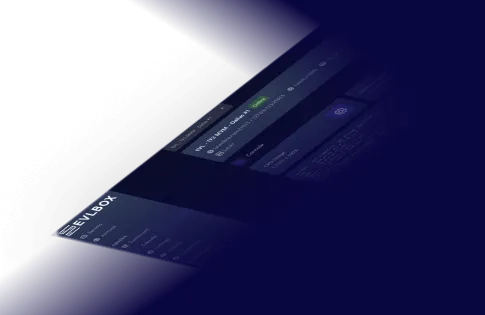
The Nitro Panel
Based on Pterodactyl.io, our control panel is packed with features and style, helping you control your server with ease and precision.
Why Host Windrose with EVLBOX
Every Windrose hosting plan includes the following.
Unlimited Player Slots
We limit hardware, not people. Invite as many friends as your RAM and CPU can handle — and when it's time to size up, upgrading takes one click.
Invite-Code Connect
Windrose uses invite codes, not IPs and ports. Set a code from the panel, share it with your crew, and they're in. No port forwarding, no fat-fingered addresses, no subdomain needed.
Fast Provisioning
New servers typically go live about 3–4 minutes after checkout. No manual SteamCMD steps, no tickets to wait on — set your invite code and start playing.
Nitro Control Panel
Our Nitro panel is built on Pterodactyl, which experienced admins already know and trust. Full file manager, console access, scheduled tasks, and SFTP included.
Transparent Infrastructure
Every node we run is documented — the exact hardware, the location, the network. See the full breakdown at our server infrastructure page, with live node status on status.evlbox.com.
SteamCMD Updates
Windrose updates through Steam pick up automatically on reboot. No waiting for us to patch — as soon as the developer pushes an update, your server can grab it.
Offsite Backups
Automatic offsite snapshots on every plan. World corruption, accidental builds, or griefer cleanup — roll back in a few clicks from the Nitro panel.
DDoS Protection
Always-on network-level DDoS protection at every location. You shouldn't have to think about this, and with EVLBOX you don't.
Dallas Premium Hardware
Dallas is our premium location, running company-owned hardware built and optimized for gaming. Frigate runs exclusively here on Ryzen 9 7950X nodes sized for long-running 6–8 player worlds.
Hey sailor — you and your shipmates should check your ping first.
Live ping from your browser to each of our ports of call. The lowest number is usually the right one to set sail from.
Los Angeles
Your live ping:
checking...Loading statusping sierra.evlbox.comDallas
Your live ping:
checking...Loading statusping saluki.evlbox.comNew York
Your live ping:
checking...Loading statusping basilisk.evlbox.comFalkenstein
Your live ping:
checking...Loading statusping sonata.evlbox.comFour Locations
We have three locations throughout the United states, and one based in Falkenstein, Germany. Check your ping against our locations to decide on which is best for your server.

Windrose Server Hosting in the USA and Europe
Pick the location closest to your group. Region choice matters more than hardware for day-to-day ping.
Windrose Server Hosting USA
Three US regions cover most North American players with sub-50ms latency:
- Dallas, TX — our premium location, running company-owned hardware built and optimized for gaming. Home to Ryzen 9 7950X Frigate nodes and the best pick for central/southern US crews.
- Los Angeles, CA — West Coast, Pacific routes, and strong Asia-Pacific connectivity.
- New York / NJ — lowest ping for the US East Coast and good latency to Europe as a fallback.
Windrose Server Hosting Europe
One European node covers most of the EU, UK, and Nordics with sub-30ms latency:
- Falkenstein, Germany — Tier-3 Hetzner facility with strong peering across Europe. Best default for any EU group.
- Good latency from the UK, France, Benelux, Scandinavia, Poland, and Central Europe.
- Sloop and Brig available in every region; Frigate is Dallas-only.
About Windrose Multiplayer
New to the game? Here's what a Windrose multiplayer server gets you.
Windrose is a PC multiplayer game available on Steam, built around shared exploration and long-form world progression with friends. Like most modern survival and sandbox titles, it's most fun with a consistent group — and that's where a dedicated server earns its keep.
Playing peer-to-peer means your world only exists when the host is online. A Windrose dedicated server fixes that. Your world runs 24/7, your players log in on their own schedule, and progress never stalls because one person had to reboot. You also get better stability, lower average ping, and protection from a host's home connection dropping mid-session.
Connecting is simple: Windrose uses invite codes, not IPs and ports. Set a code from the Nitro panel, share it with your crew, and they drop it into the game to join. No port forwarding, no subdomains, no network setup on the player side.
EVLBOX has been running game servers since 2016. We document every node we run — hardware, location, network — on our server infrastructure page, with real-time node status on status.evlbox.com.
Need Help Getting Started?
Check out our Windrose server docs and setup guides.
Server Settings
Edit server config, startup variables, and world generation options from the panel.
Read Guide →World Management
Upload a local save, rename your world, and restore from offsite backups.
Read Guide →All Windrose Docs
Browse every Windrose server guide, settings reference, and tip we've written.
View All Docs →Ready to Set Sail?
Your Windrose dedicated server is one click away. Up in about 3–4 minutes, cancel any time.
Order Now from $16/moQuestions?
Does Windrose have dedicated servers?
How do I host a Windrose server?
How do players connect to my Windrose server?
How much does a Windrose server cost?
Are there player slot limits?
Is Windrose PC only?
What are the Windrose dedicated server requirements?
Can I pick a server location?
How many backups do I get?
Do you run Windrose servers on Linux?
Can I upgrade or downgrade my plan later?
One exception: any change that moves your server between locations requires opening a support ticket so we can migrate the world cleanly. Because Frigate is Dallas-only, moving to or from Frigate from a non-Dallas region counts as a location change. Same-location upgrades and downgrades (Sloop ↔ Brig in any region, or Brig ↔ Frigate when you're already in Dallas) are instant and self-serve.